Reducing the size of word document with built-in pictures
The following Office 2003 add-in allows you to reduce the size of word files by removing unneeded image information and other cruft in word files
- Download and install Office 2003/XP Add-in: Remove Hidden Data
- Right-Click on a image and choose “Format graphics”
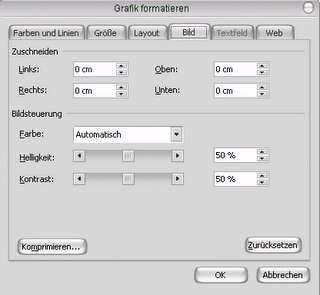
- Use the “Compress” button to compress one or all images to print resolution, remove cropped data etc.
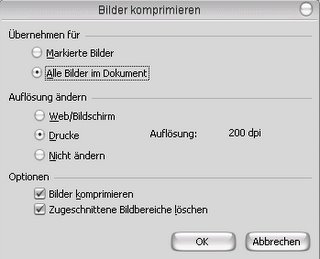
- Use
File-Remove hidden datato save a compressed version of the file


Source: http://neoswelt.blogspot.com/2006/03/word-dateien-verkleinern.html
~~LINKBACK~~ ~~DISCUSSION~~